

TL;DR:
- Independent restaurants must adopt real-time, integrated expense tracking to improve financial decision-making.
- Choosing the right software like Xero and ensuring POS and invoice integrations are crucial.
- Consistent routines, timely data entry, and regular audits prevent common tracking errors.
Running an independent restaurant in 2026 means operating under relentless cost pressure. Food prices remain volatile, energy bills stay stubbornly high, and margins that were already thin are being squeezed further. Many owners are still relying on spreadsheets or paper receipts to track where money goes, which means they are always reacting rather than planning. This article walks you through practical, proven methods for expense tracking that give you genuine control over your operating costs. From auditing your current setup to choosing the right tools and avoiding the mistakes that trip most independents up, you will leave with a clear action plan.
Table of Contents
- Assessing your current expense tracking setup
- Choosing the right tools and integrations for 2026
- Step-by-step process to implement effective expense tracking
- Avoiding common pitfalls and troubleshooting issues
- The smarter way forward: fresh insights from 2026 restaurant experience
- Take your expense tracking to the next level
- Frequently asked questions
Key Takeaways
| Point | Details |
|---|---|
| Audit your tracking setup | Evaluate your current methods for expense recording and identify gaps before upgrading. |
| Pick integrated solutions | Choose accounting software and POS integrations that support accurate real-time tracking in 2026. |
| Follow step-by-step setup | Install, configure, and verify expense tracking tools to ensure data reliability and compliance. |
| Avoid common errors | Stay vigilant for missed entries and reporting inconsistencies using regular audits and automated checks. |
| Future-proof your workflow | Adopt real-time, integrated tools to stay competitive and efficient in 2026 and beyond. |
Assessing your current expense tracking setup
Before you can improve anything, you need an honest look at what you are actually doing right now. Most independent restaurants fall into one of two camps: fully manual tracking using spreadsheets or paper logs, or a loose digital setup that was never properly configured. Neither is working as well as it should.
Manual tracking has obvious weaknesses. Receipts get lost, entries get delayed, and the person doing the data entry is usually the same person running the kitchen or managing the floor. Errors compound quickly. By the time you spot a discrepancy, you may be weeks behind.
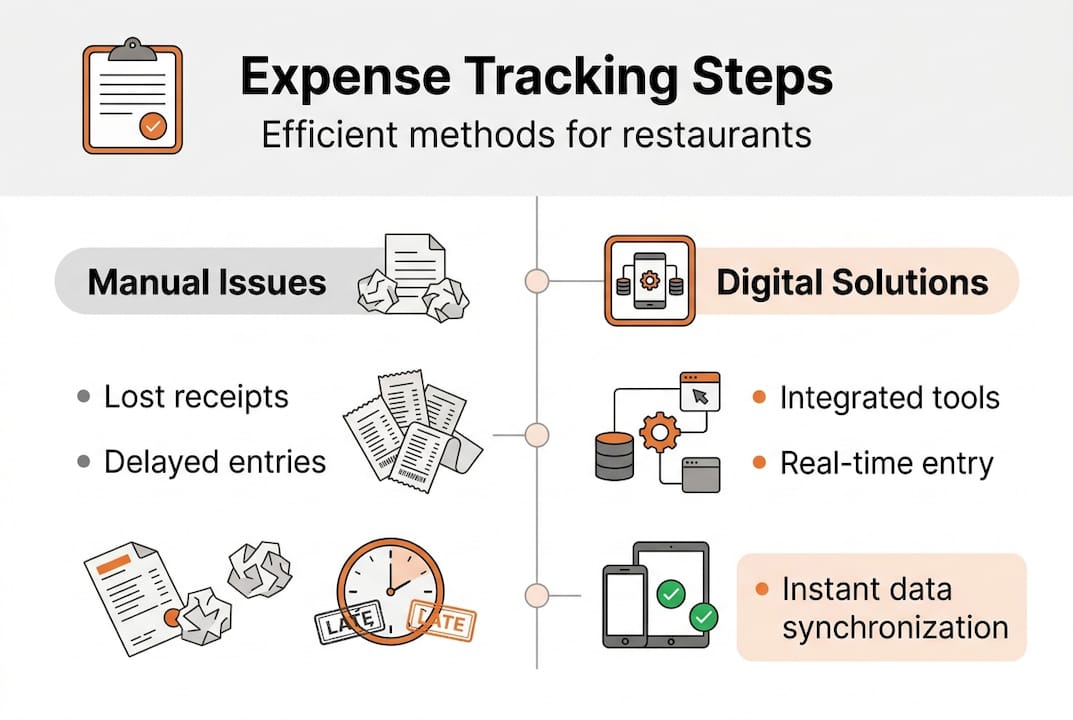
Digital setups often have different problems. Software is installed but not integrated. Your accounting tool does not talk to your point-of-sale system. Invoices are uploaded inconsistently. The result is a dashboard full of incomplete data that you do not trust, so you stop using it.
Here is a quick comparison of the two approaches:
| Tracking method | Speed | Accuracy | Visibility | Cost |
|---|---|---|---|---|
| Manual spreadsheets | Slow | Low | Limited | Free |
| Basic digital tools | Medium | Medium | Partial | Low |
| Integrated platforms | Fast | High | Real-time | Moderate |
When auditing your current setup, check for these gaps:
- Are all supplier invoices captured within 24 hours of receipt?
- Can you see your food cost percentage at any point in the week?
- Do your expense categories match your actual spend areas?
- Is your tracking data connected to your revenue figures?
If the answer to any of these is no, you have a gap worth closing. Reviewing your budgeting tips alongside your tracking habits is a useful way to see where the two are misaligned.
One often-overlooked factor is software choice. Xero is preferred for UK independents due to its ecosystem and unlimited users, making it easier for your accountant, manager, and bookkeeper to access the same data without extra licence fees.
Pro Tip: Do a 15-minute expense audit at the end of each week. Pull your invoices, check them against your bank transactions, and note any categories that are unclear. This small habit prevents large reconciliation headaches later.
Choosing the right tools and integrations for 2026
With your current setup mapped, next decide what tools and systems will move you forwards. The right combination depends on your size, your team, and how much time you can realistically dedicate to financial admin.
The two dominant accounting platforms for UK independents are Xero and QuickBooks. Both are capable, but they suit different operators. Xero offers unlimited users while QuickBooks is simpler for sole traders, making the choice partly about your team structure and partly about your accountant's preference.
Here is how the main platforms compare for restaurant use:
| Platform | Best for | Users included | POS integration | UK accountant support |
|---|---|---|---|---|
| Xero | Teams, multi-site | Unlimited | Yes (via apps) | Widely supported |
| QuickBooks | Sole traders | Limited by plan | Yes | Supported |
| Kosts | Hospitality focus | Team access | Square, Xero | Built for operators |
When choosing your stack for 2026, work through these steps in order:
- Confirm your accountant's preferred platform and build around it.
- Identify which POS system you use and check its integration options.
- Decide whether you need invoice scanning built in or as a separate tool.
- Check that your chosen tools can export reports in formats your team will actually use.
- Run a free trial before committing to any paid plan.
"The biggest mistake independents make is choosing software based on price alone. The cheapest option that your team does not use consistently costs more than a slightly pricier tool that everyone actually engages with."
For restaurants serious about automated tracking methods, the integration between your invoice capture tool, accounting software, and POS is where real efficiency lives. Exploring dedicated expense management solutions built for hospitality will save you significant configuration time compared to adapting generic tools.
Step-by-step process to implement effective expense tracking
Once you have selected your tools, follow these practical steps to get started. Implementation is where most owners stall, usually because the initial setup feels overwhelming. Breaking it into clear stages makes it manageable.
- Link your bank accounts and payment systems. Connect your business account to your accounting software so transactions import automatically. This eliminates one of the biggest sources of manual error.
- Set up your expense categories. Create categories that reflect how your restaurant actually spends money: food and drink, labour, utilities, packaging, and maintenance. Generic categories produce reports you cannot act on.
- Configure your POS integration. Integrating POS such as Clover delivers accurate cost-of-goods-sold figures for independents, which is the single most important number for managing food profitability.
- Establish an invoice capture routine. Decide who uploads invoices, how (photo, PDF, or email forwarding), and when. Daily is better than weekly. Weekly is far better than monthly.
- Schedule a weekly report review. Block 30 minutes every Monday morning to review the previous week's spend. Look for categories that are running over budget and suppliers whose costs have shifted.
- Reconcile monthly against bank statements. At month end, compare your tracked expenses against actual bank outgoings. Any gap needs an explanation before you move on.
A well-structured expense tracking process does not need to be complex. It needs to be consistent. Pair this with solid food cost tracking tips and you will have a clear picture of where every pound is going.
Pro Tip: Record expenses in real time rather than batching them at the end of the week. It takes the same total effort but dramatically reduces errors because the context is fresh.
Avoiding common pitfalls and troubleshooting issues
Implementing new methods can bring new challenges. Here is how to spot and solve them before they undermine your tracking system.
The most frequent issues independents face are:
- Missing receipts. A supplier delivers on a busy Friday evening and the invoice disappears into a pile. Set a rule: every delivery gets photographed and uploaded before it is moved.
- Delayed manual entry. Batching entries at the end of the month means you are working from memory, not records. Real-time or daily entry is always more accurate.
- Miscategorised expenses. An equipment repair logged as a food cost distorts your food cost percentage and makes reports misleading. Spend time setting up categories correctly from the start.
- Duplicate entries. When bank feeds and manual entries run in parallel, the same transaction can appear twice. Audit for duplicates during your monthly reconciliation.
- Software not syncing. Integrations occasionally break. Check your sync status weekly, not just when something looks wrong.
"Inconsistent data entry is the silent killer of good financial reporting. A report built on incomplete data does not just fail to help you; it actively misleads you."
To spot inconsistencies, compare your weekly spend reports against your invoices line by line at least once a month. If a category looks unusually low, it is more likely a missing entry than a genuine saving. Use your cost control checklist as a reference point when something does not add up.
Integrating POS for accurate COGS and ensuring data entry consistency are the two levers that resolve the majority of reporting problems. Pair this with a documented cost control workflow and your team will know exactly what to do when something goes wrong.
The smarter way forward: fresh insights from 2026 restaurant experience
Here is an uncomfortable truth: most independent restaurants are not losing money because their food is bad or their marketing is weak. They are losing money because they cannot see where it is going fast enough to act.
Spreadsheets made sense in 2010. In 2026, they are a liability. They require discipline that busy kitchens cannot sustain, and they produce reports that are always slightly out of date. The early adopters who moved to integrated, real-time tracking are not just saving time. They are making fundamentally better decisions because they are working from current data, not last month's figures.
The shift we see among the most financially resilient independents is not about using fancier software. It is about closing the gap between when money is spent and when it is visible. That gap, even a week wide, is where margin disappears. Good accounting tips will always point you towards tighter feedback loops, not more complex reporting. Simplicity, consistency, and real-time visibility are the only sustainable combination for independents operating in 2026's market.
Take your expense tracking to the next level
If you have worked through this guide and realised your current setup has gaps, you are already ahead of most independents. The next step is putting the right infrastructure in place so tracking happens automatically rather than manually.
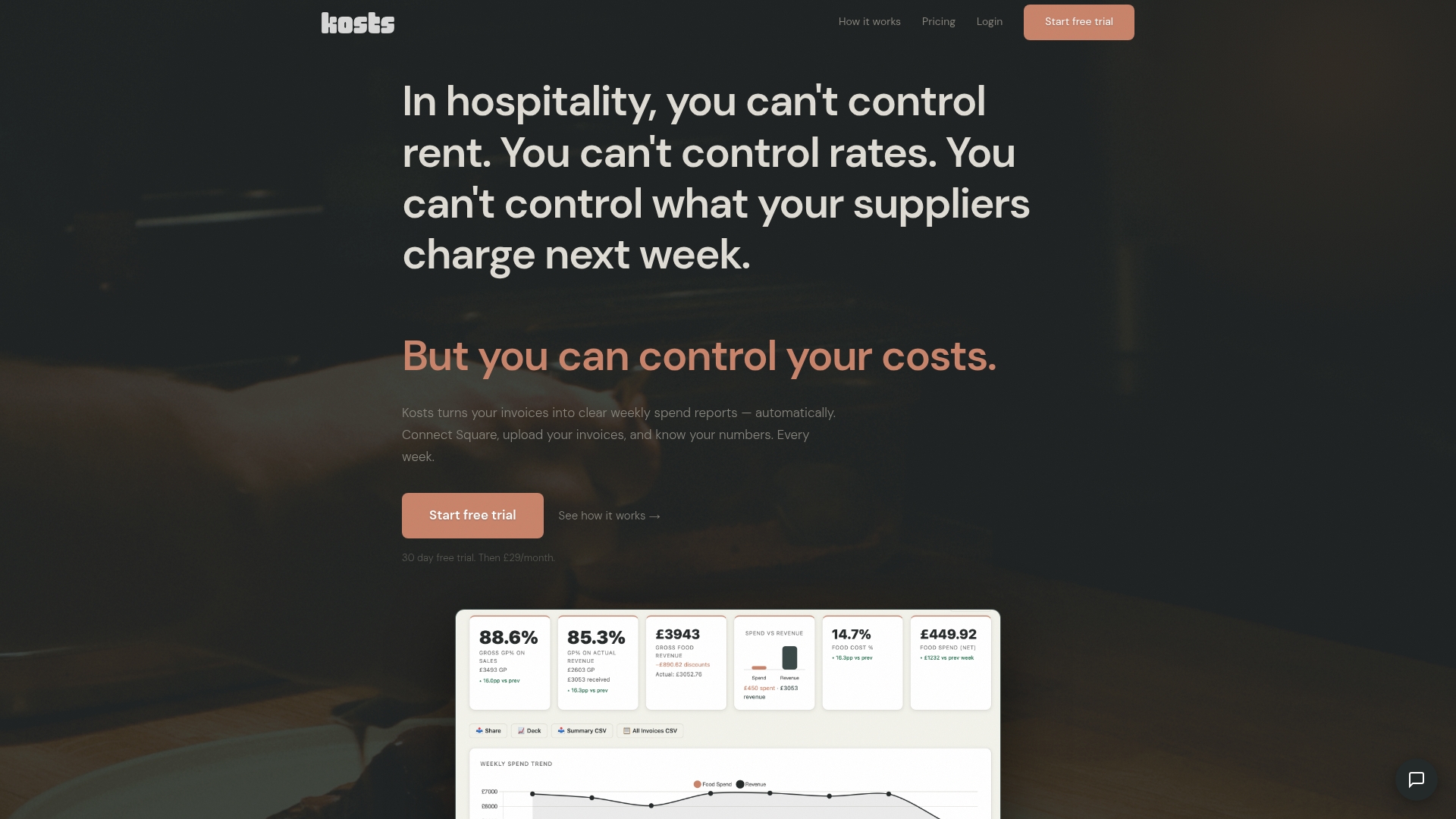
Kosts was built specifically for independent restaurants and food service operators in the UK. You can upload invoices by photo, PDF, or email forwarding, and the platform automatically extracts supplier, item, category, and cost data. It integrates with Square and Xero, imports your revenue automatically, and produces weekly spend reports without you having to build them. If you are ready to move from reactive to proactive cost management, advanced expense tracking starts with a 30-day free trial. No complex onboarding, no enterprise pricing.
Frequently asked questions
Which expense tracking software is favoured by UK independent restaurants in 2026?
Xero is preferred for its UK ecosystem and unlimited users, while QuickBooks suits sole traders and simpler setups where fewer people need system access.
How does integrating POS systems improve expense tracking?
POS integration like Clover provides real-time, accurate cost-of-goods-sold calculations and significantly reduces the manual entry errors that distort food cost reporting.
What are the most common pitfalls in restaurant expense tracking?
Missed receipts and delayed entry are the most frequent issues, alongside inconsistent data reconciliation that leaves monthly reports unreliable and difficult to act on.
How can I verify my expense tracking is accurate each month?
Compare your monthly expense reports against your bank statements and supplier invoices line by line, and investigate any category that shows an unexpected drop rather than assuming it reflects genuine savings.